

Documentation Index
Fetch the complete documentation index at: https://docs.routerlink.ai/llms.txt
Use this file to discover all available pages before exploring further.
本文档仅供参考,演示如何配置我们的 API 与第三方 AI 聊天界面配合使用。文中提及的任何第三方软件、网站或服务均非由我们运营、控制或背书。
OpenClaw 简介

- 可执行真实任务的自主 AI 智能体
- 自托管,数据完全可控
- 多渠道接入(Telegram、Slack、Web 等)
- 可扩展的技能 / 插件体系
- 支持多种 AI 模型
- 跨会话的持久记忆
- 专为自动化与工作流而生
步骤
安装 OpenClaw
OpenClaw 要求 Node >= 22.14,请先安装 最新 LTS 版本的 Node.js。安装完成后,打开终端(Windows 用户使用 PowerShell)并检查版本号。如果无法正常显示版本号,请搜索相关问题,并确认你的系统版本未过旧。安装 OpenClaw:
- macOS、Linux、Windows:
配置 OpenClaw
打开终端,运行以下命令开始配置。选择 “Yes”、“QuickStart”。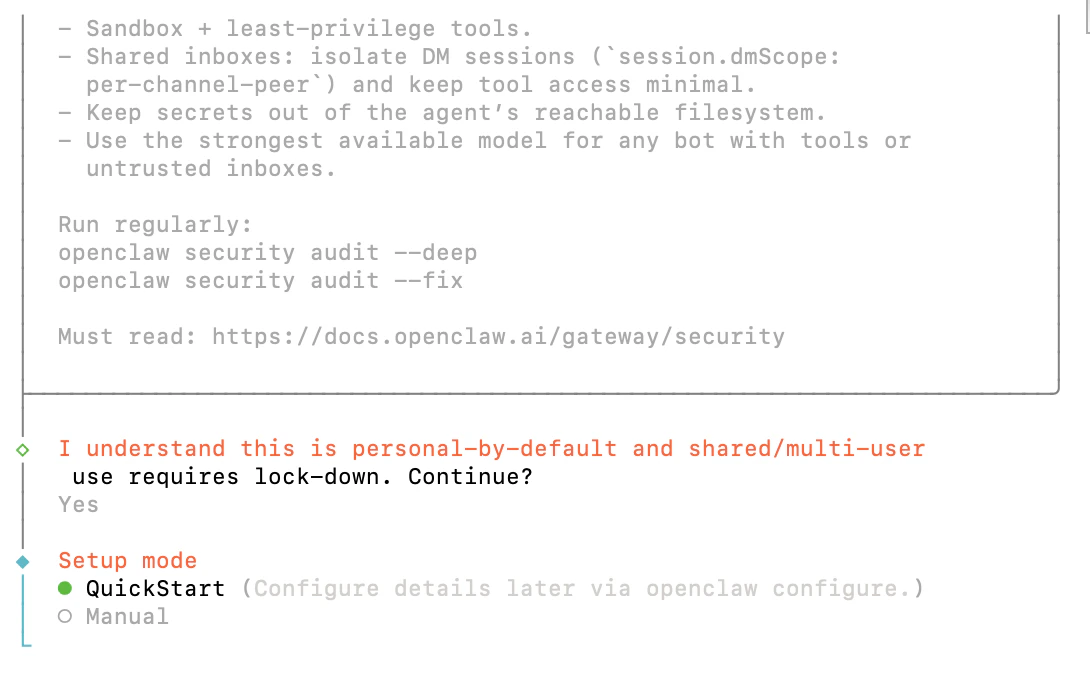
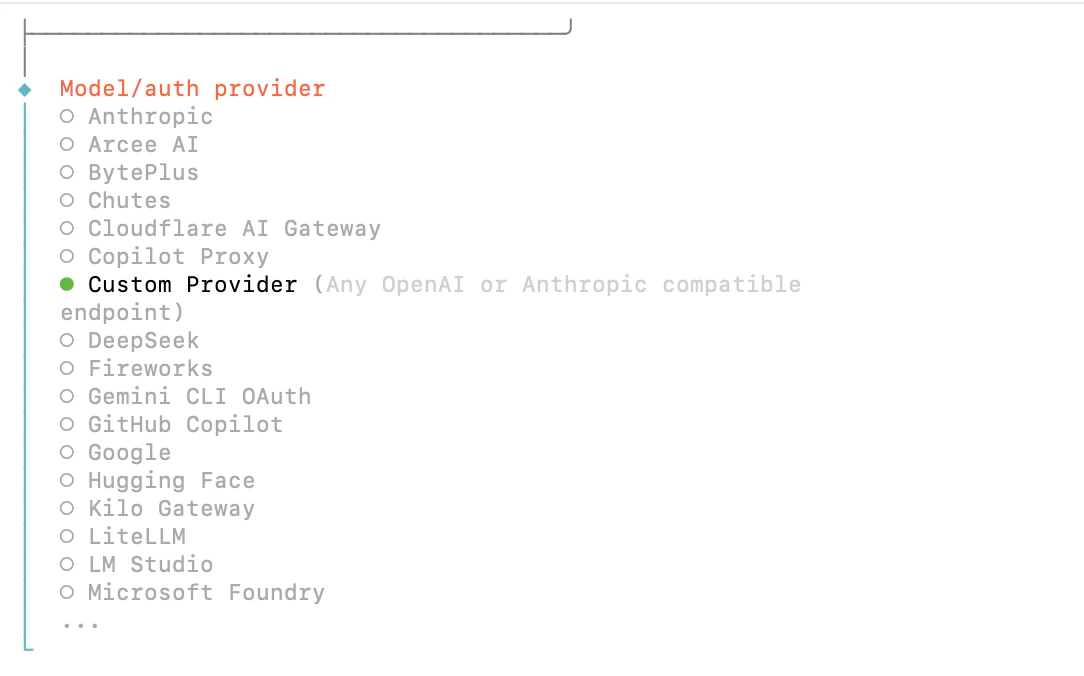
GPT-5.3-Codex
Gemini 3.1 Pro Preview
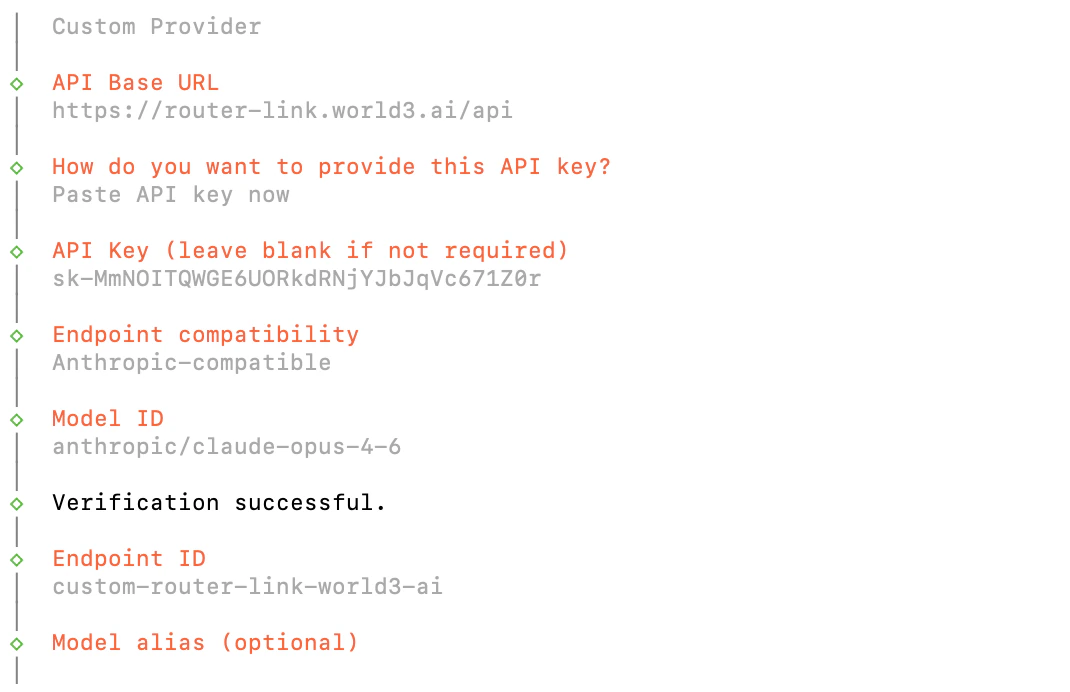
| 字段 | 内容 |
|---|---|
| API Base URL | https://router-link.world3.ai/api |
| API Key | 在 RouterLink API 获取 |
| Endpoint compatibility | Anthropic-compatible |
| Model ID | anthropic/claude-opus-4-7 |
| 字段 | 内容 |
|---|---|
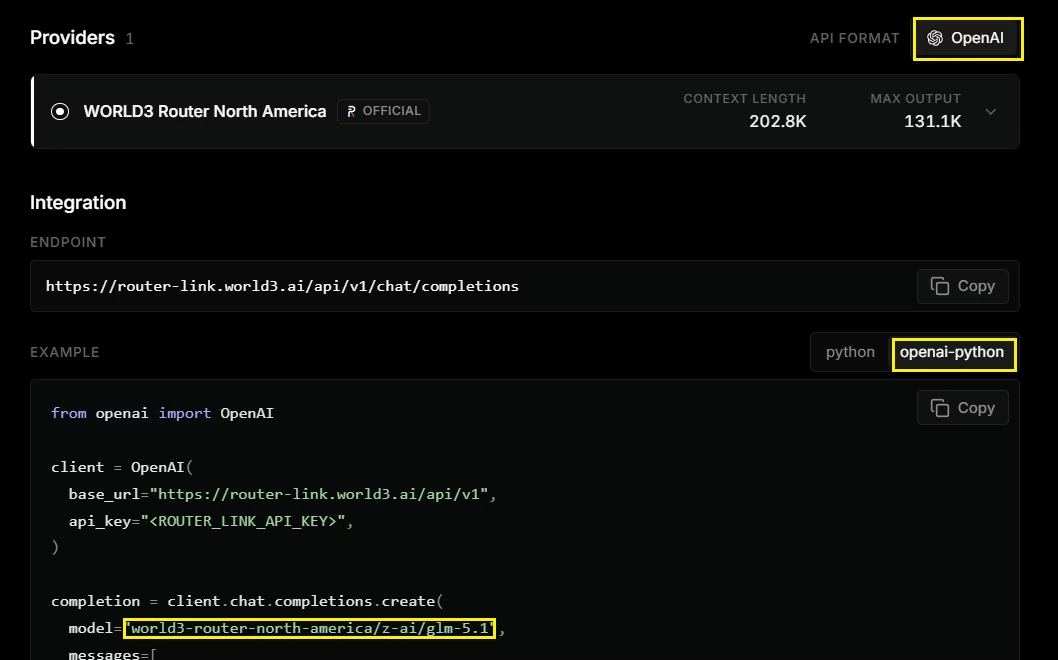
| API Base URL | https://router-link.world3.ai/api |
| API Key | 在 RouterLink API 获取 |
| Endpoint compatibility | OpenAI-compatible |
| Model ID | world3-router-north-america/openai/gpt-5.3-codex |
| 字段 | 内容 |
|---|---|
| API Base URL | https://router-link.world3.ai/api |
| API Key | 在 RouterLink API 获取 |
| Endpoint compatibility | OpenAI-compatible |
| Model ID | world3-router-north-america/google/gemini-3.1-pro-preview |
常见问题
如何添加模型
如何添加模型
再次运行:在 Config handling 中选择 “Use existing values”,然后在 Custom Provider 下添加你需要的新模型。
Gateway 进程已被占用
Gateway 进程已被占用
如何升级 OpenClaw?
如何升级 OpenClaw?
在终端中执行:
需要更多帮助?
需要更多帮助?
请查看 官方文档。