

This documentation is provided for informational purposes only and demonstrates how to configure and use our API with third-party API configuration tool. Any third-party software, websites, or services mentioned are not operated, controlled, or endorsed by us.
Introduction to CC Switch
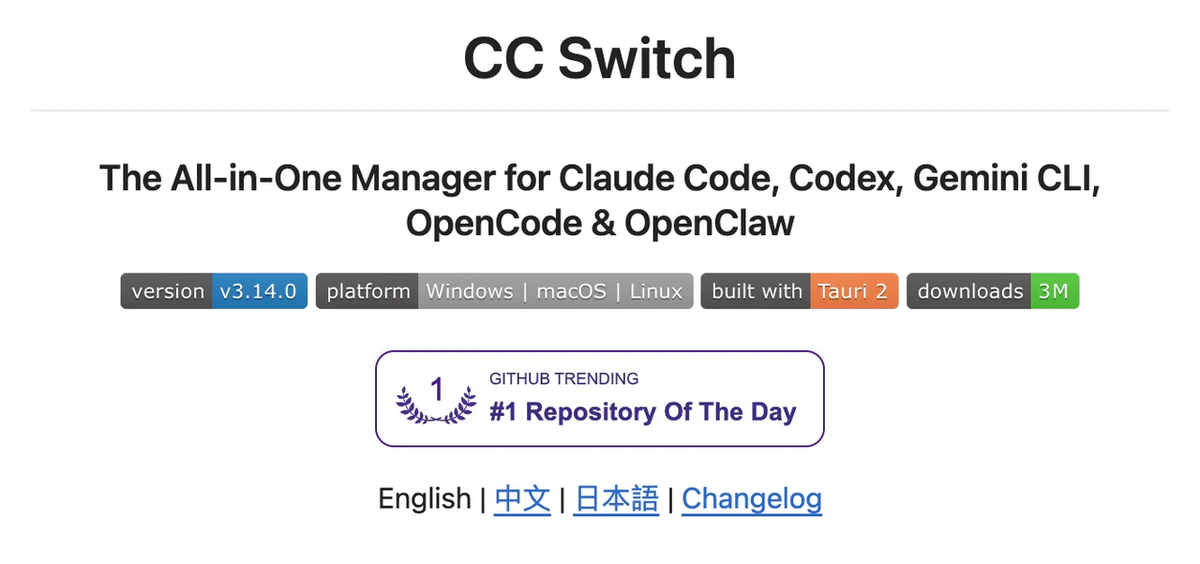
- One App, Five CLI Tools — Manage Claude Code, Codex, Gemini CLI, OpenCode, and OpenClaw from a single interface
- No More Manual Editing — 50+ provider presets including AWS Bedrock, NVIDIA NIM, and community relays; just pick and switch
- Unified MCP & Skills Management — One panel to manage MCP servers and Skills across four apps with bidirectional sync
- System Tray Quick Switch — Switch providers instantly from the tray menu, no need to open the full app
- Cloud Sync — Sync provider data across devices via Dropbox, OneDrive, iCloud, or WebDAV servers
- Cross-Platform — Native desktop app for Windows, macOS, and Linux, built with Tauri 2
- Built-in Utilities — Includes various utilities for first-launch login confirmation, signature bypass, plugin extension sync, and more
Step
1
Install CC Switch
- Windows:
CC-Switch-v{version}-Windows.msi installer or CC-Switch-v{version}-Windows-Portable.zip portable version from the Releases page.- Windows WSL
- macOS
CC-Switch-v{version}-macOS.dmg (recommended) or .zip from the Releases page.Note: CC Switch for macOS is code-signed and notarized by Apple. You can install and open it directly.
- Arch Linux
- Linux
CC-Switch-v{version}-Linux.deb(Debian/Ubuntu)CC-Switch-v{version}-Linux.rpm(Fedora/RHEL/openSUSE)CC-Switch-v{version}-Linux.AppImage(Universal)
Flatpak: Not included in official releases. You can build it yourself from the .deb — see flatpak/README.md for instructions.
2
Configure CC Switch
Take configuring Claude Code as an example.Run CC-Switch, select the Claude Code icon, then click the “+” in the top-right corner.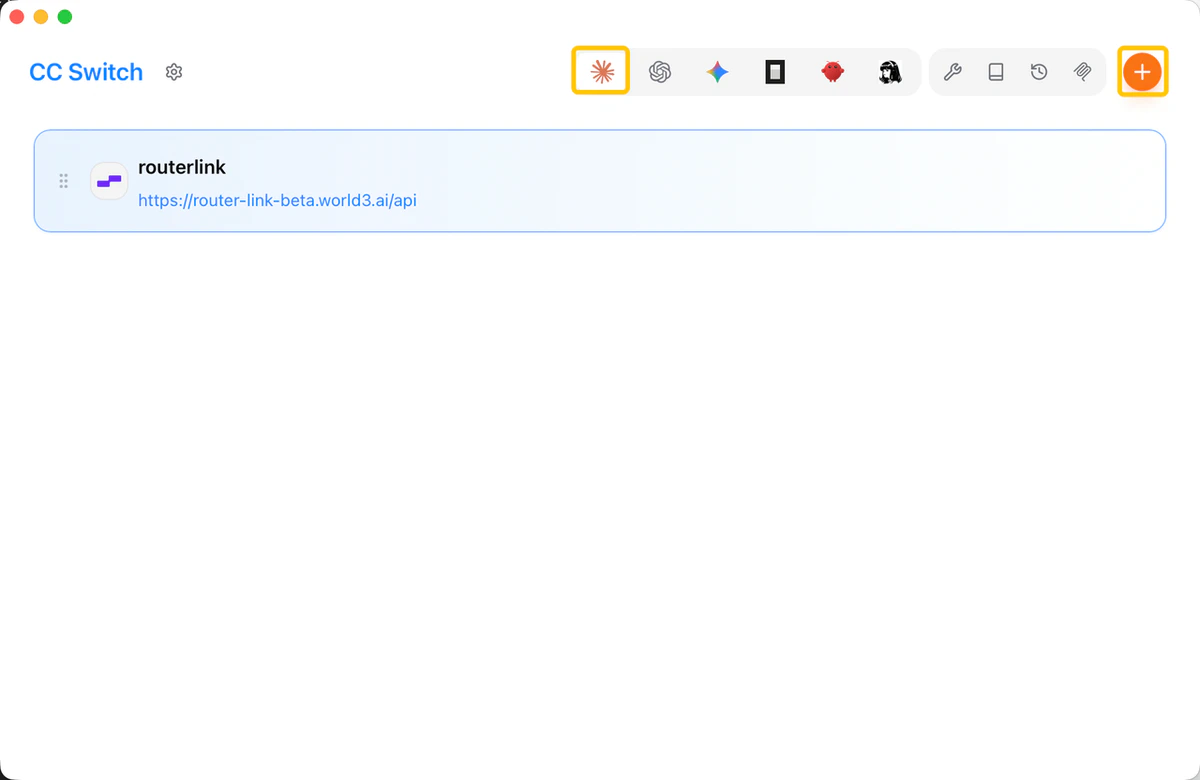
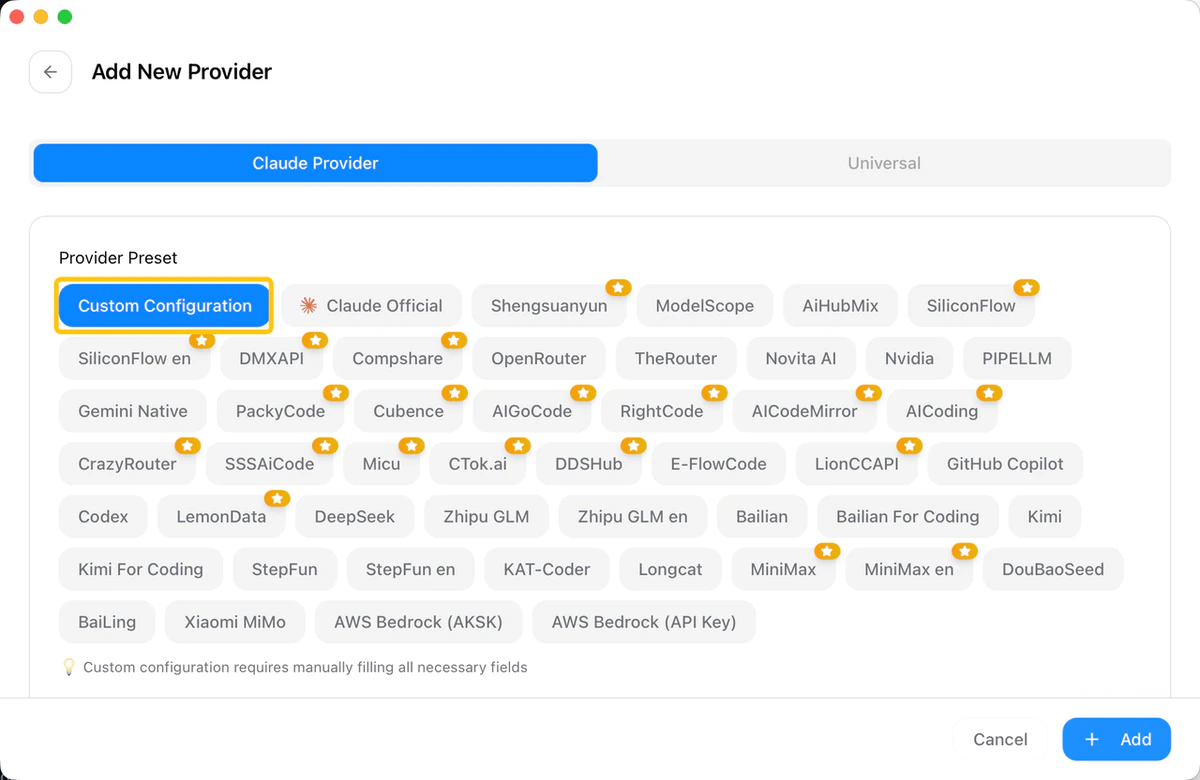
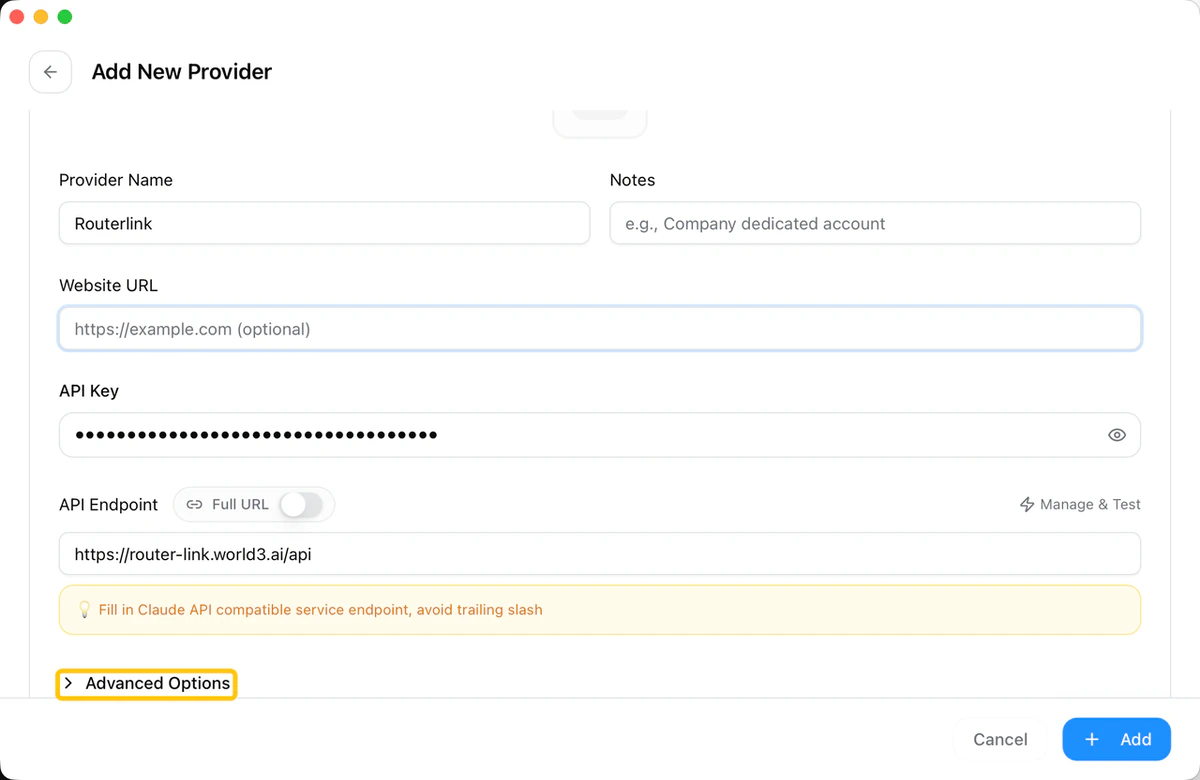
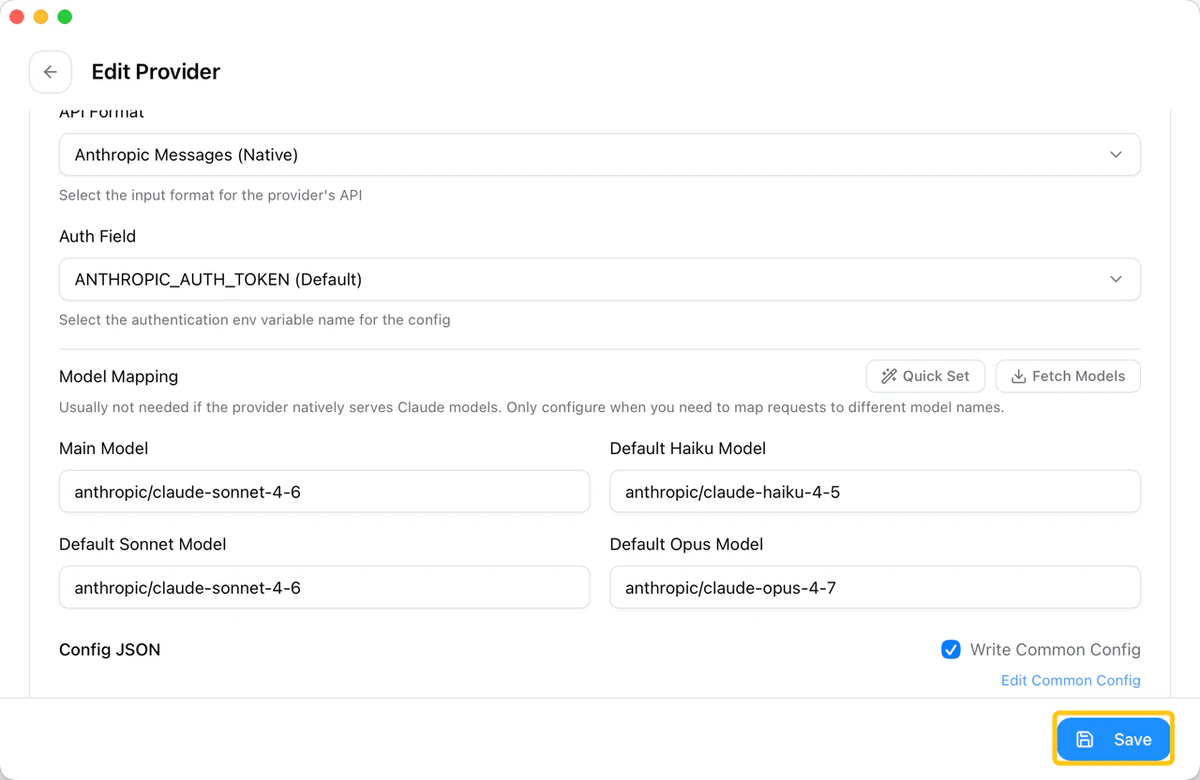
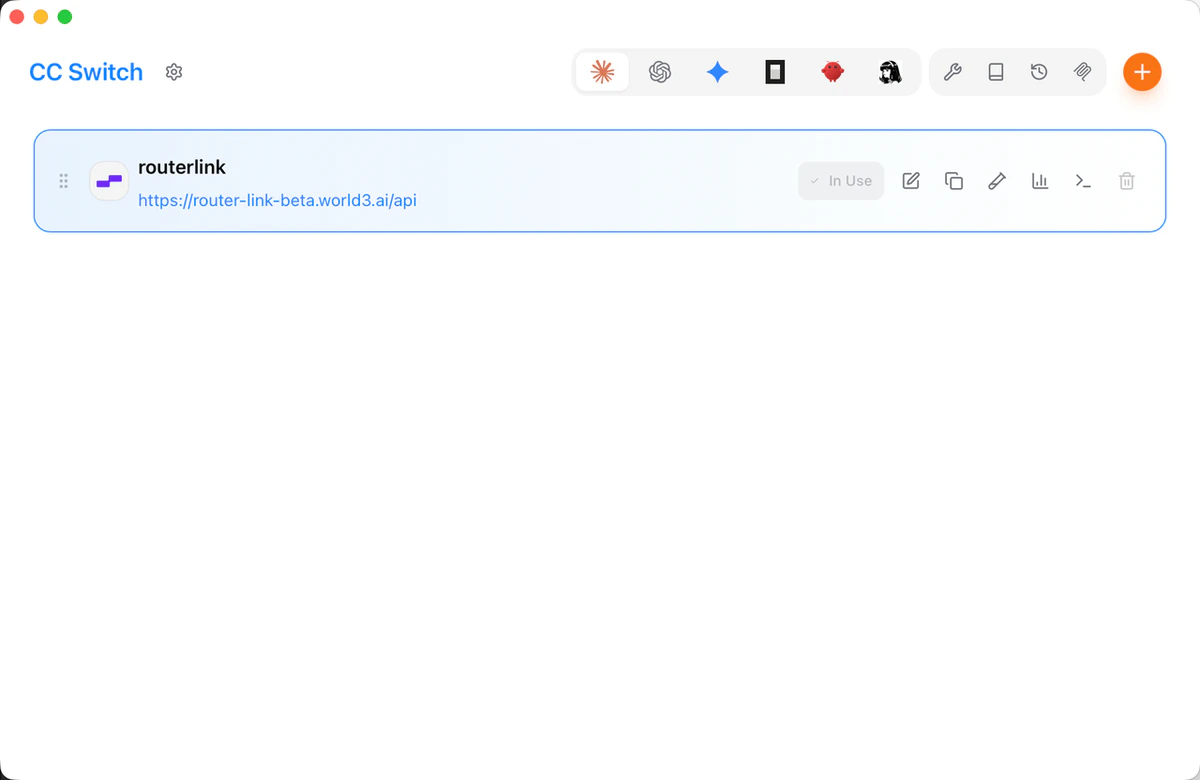
You can replace the model with any model compatible with the Anthropic format.Finally, click “Save.” The configuration will then be complete.
3
Use it in combination with other coding agent tools.
CC Switch is more than just a manager for Claude Code—it also provides full support for four other mainstream AI coding CLI tools.
- Using with Codex
OPENAI_API_KEY environment variable when switching models.- Using with Gemini CLI
- Using with OpenCode
- Using with OpenClaw
Troubleshooting
How can I make CC Switch work in WSL?
How can I make CC Switch work in WSL?
CC Switch is installed on the Windows side and bridges requests from WSL through a local proxy. You just need to ensure that WSL’s proxy settings point to the local listening port of CC Switch. The specific port number can be found in the proxy settings page of CC Switch.
Do I need to restart Claude Code after switching the provider?
Do I need to restart Claude Code after switching the provider?
No. CC Switch’s hot-switching feature takes effect immediately after activating a new provider, and the current terminal session does not need to be restarted.
Where is the configuration data stored?
Where is the configuration data stored?
The local database is stored at
~/.cc-switch/cc-switch.db, and the settings file is located at ~/.cc-switch/settings.json. CC Switch automatically keeps the 10 most recent backup versions.Can I import someone else’s provider configuration via a URL?
Can I import someone else’s provider configuration via a URL?
Yes. CC Switch supports Deep Links (the
ccswitch:// protocol). Team members can quickly import a shared provider configuration via a link, making it ideal for unified API management within teams.Does CC Switch support AWS Bedrock?
Does CC Switch support AWS Bedrock?
Yes. It includes built-in presets for AWS Bedrock and supports cross-region inference, making it suitable for enterprise users who access Claude models through Bedrock.
For more information
For more information
Please check the official documentation.