> ## Documentation Index
> Fetch the complete documentation index at: https://docs.routerlink.ai/llms.txt
> Use this file to discover all available pages before exploring further.
# RouterLink Starter
> RouterLink Starter is currently in beta. If you encounter any issues, please contact us at [support@routerlink.ai](mailto:support@routerlink.ai).
# **Introduction to RouterLink Starter**
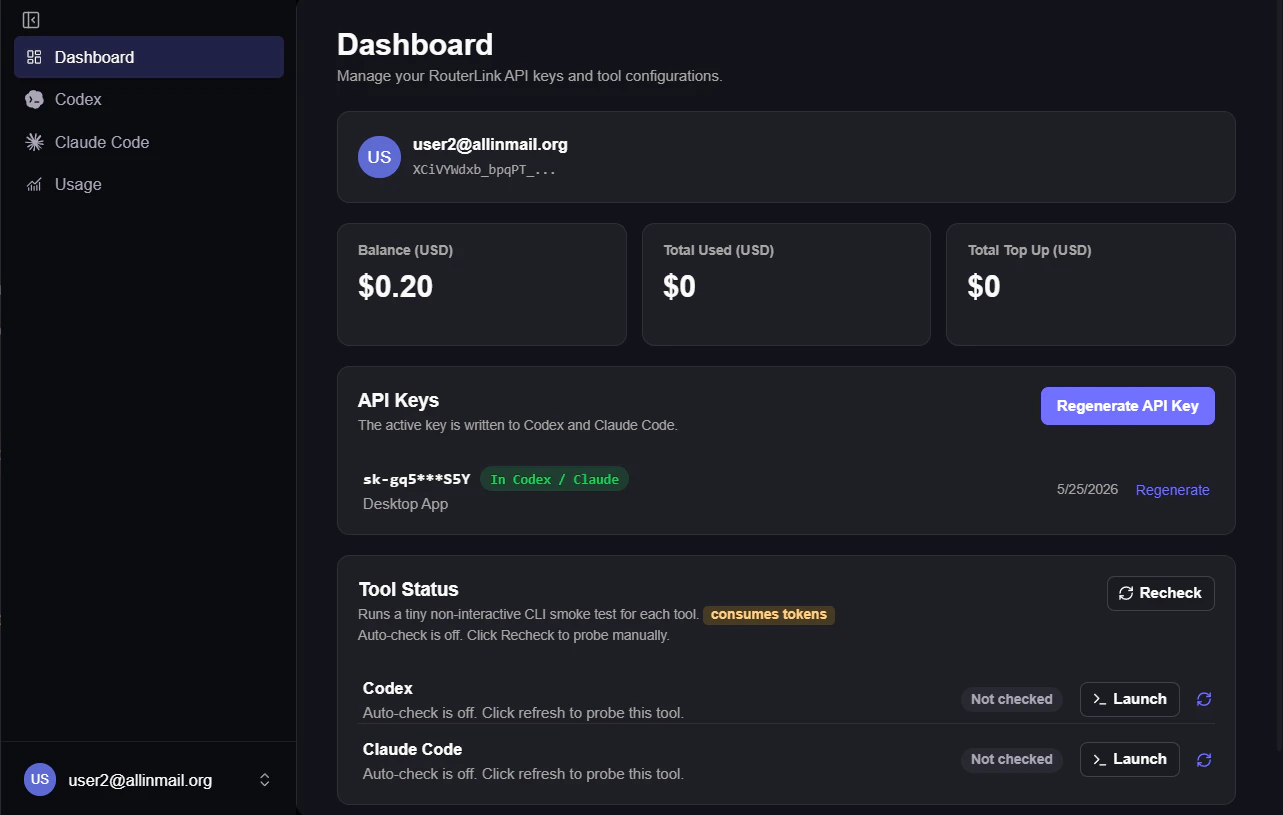 RouterLink Starter is an official desktop application developed by [RouterLink](https://routerlink.ai/?utm_source=chatgpt.com), providing one-click installation, configuration, and management for Claude Code CLI & Codex.
# **Step**
> Windows users may encounter a “ prevented an unrecognized app from starting” warning. This is normal — please select “Run anyway.”
Download: [https://routerlink.ai/download](https://routerlink.ai/download)
Currently available for Windows and macOS.
After entering the Starter, click “Get Started”.
RouterLink Starter is an official desktop application developed by [RouterLink](https://routerlink.ai/?utm_source=chatgpt.com), providing one-click installation, configuration, and management for Claude Code CLI & Codex.
# **Step**
> Windows users may encounter a “ prevented an unrecognized app from starting” warning. This is normal — please select “Run anyway.”
Download: [https://routerlink.ai/download](https://routerlink.ai/download)
Currently available for Windows and macOS.
After entering the Starter, click “Get Started”.
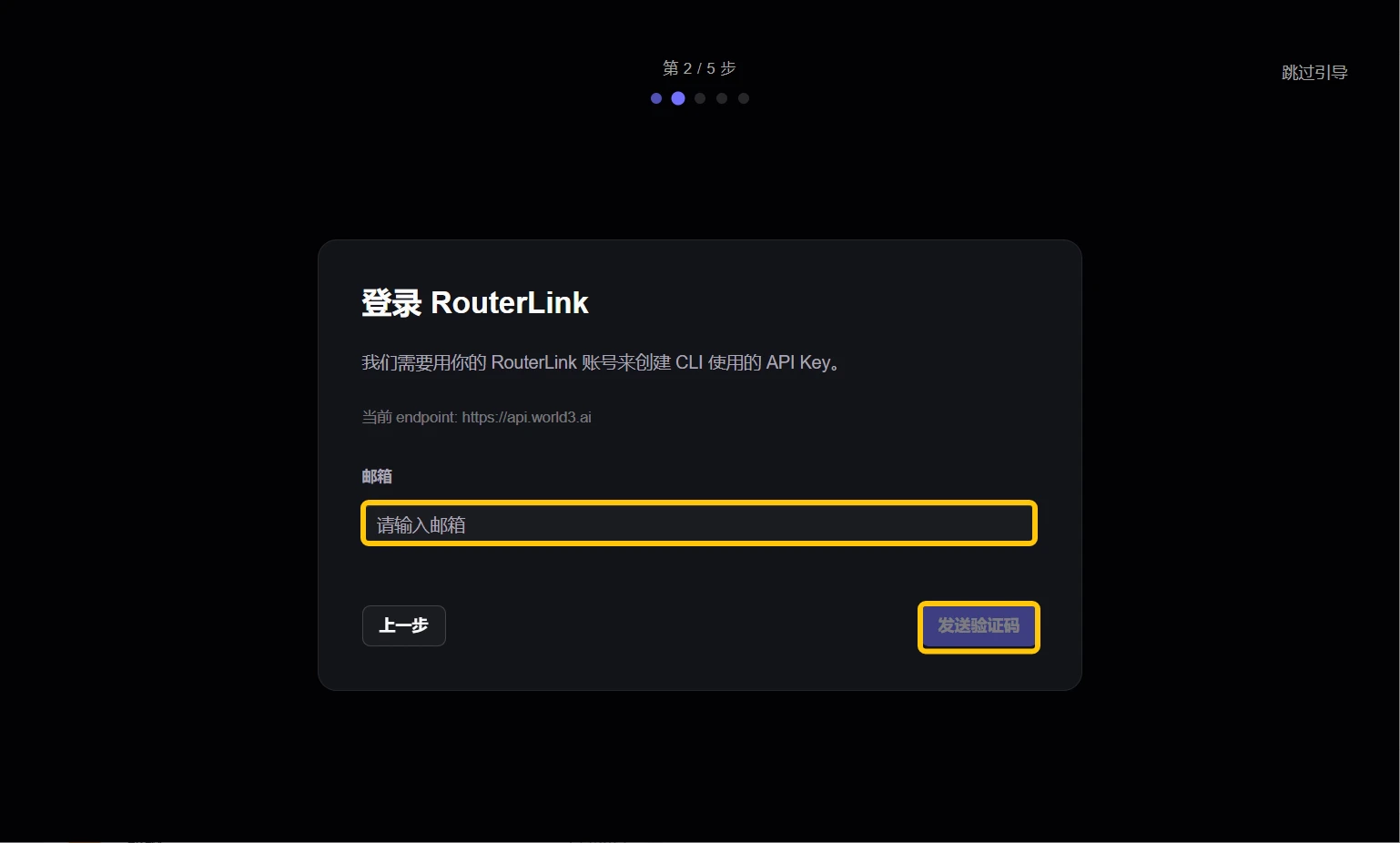
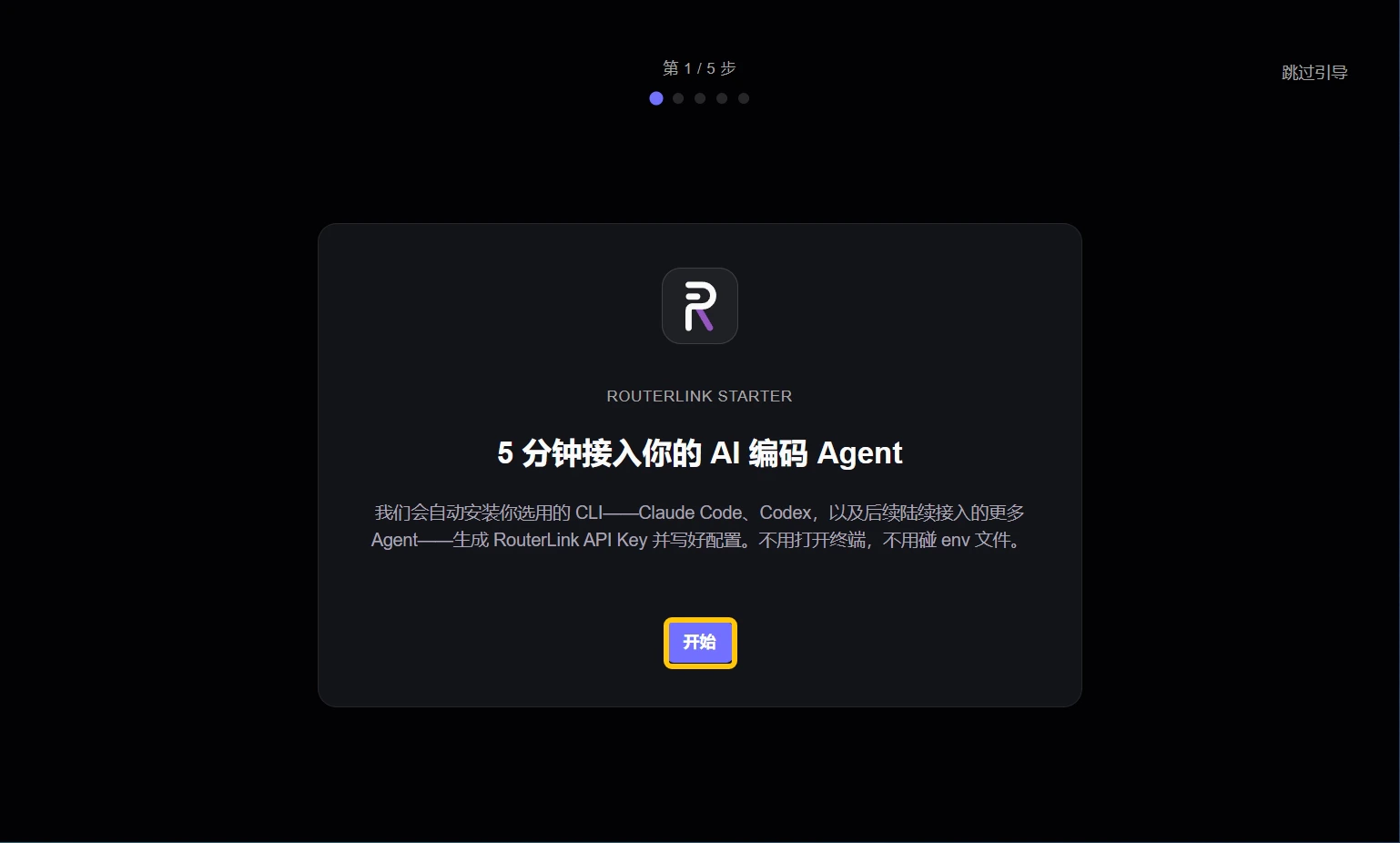 Sign in to your RouterLink account using your email. If you don’t have an account, one will be created automatically.
 Make sure Node.js and the coding agent you want to use have been installed.
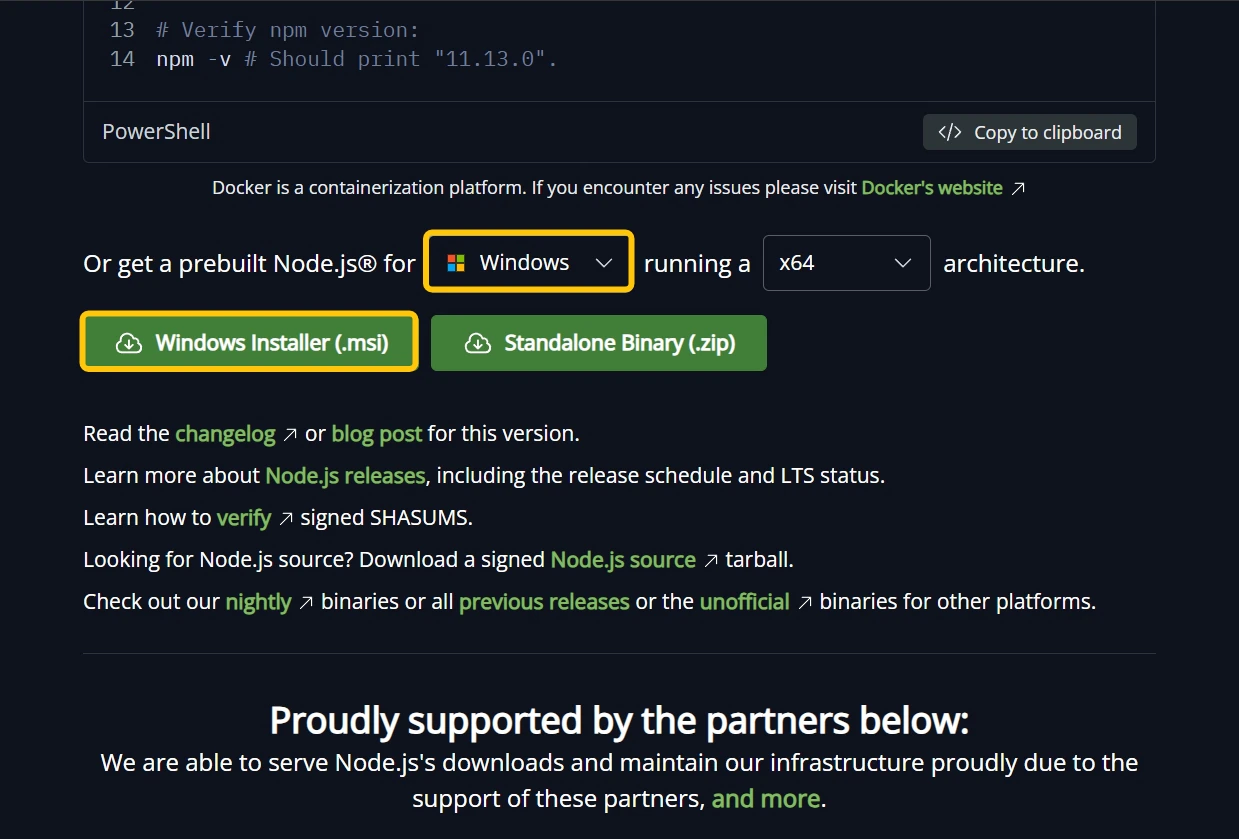
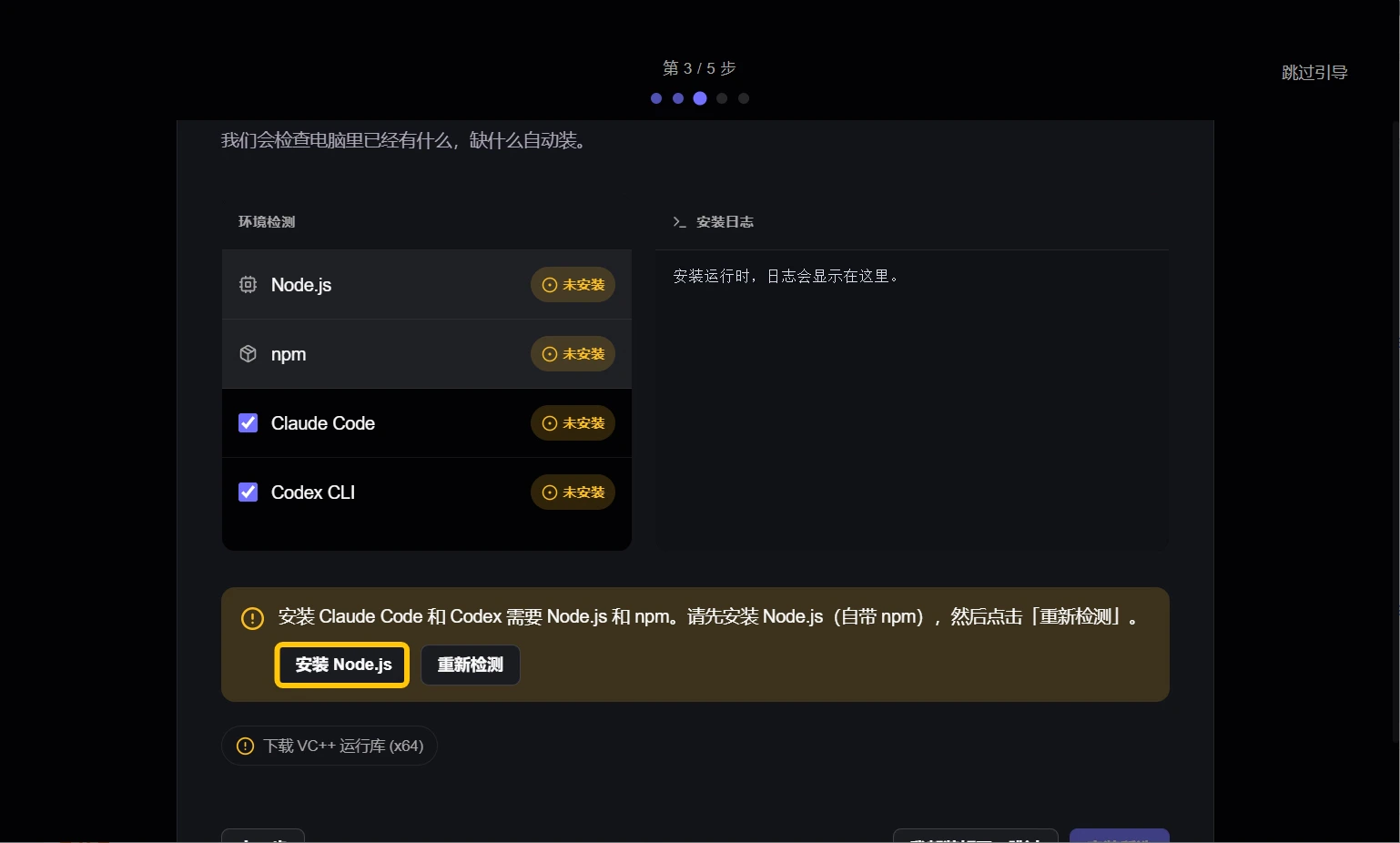 You need to download and install Node.js from the browser by selecting the version that matches your operating system.
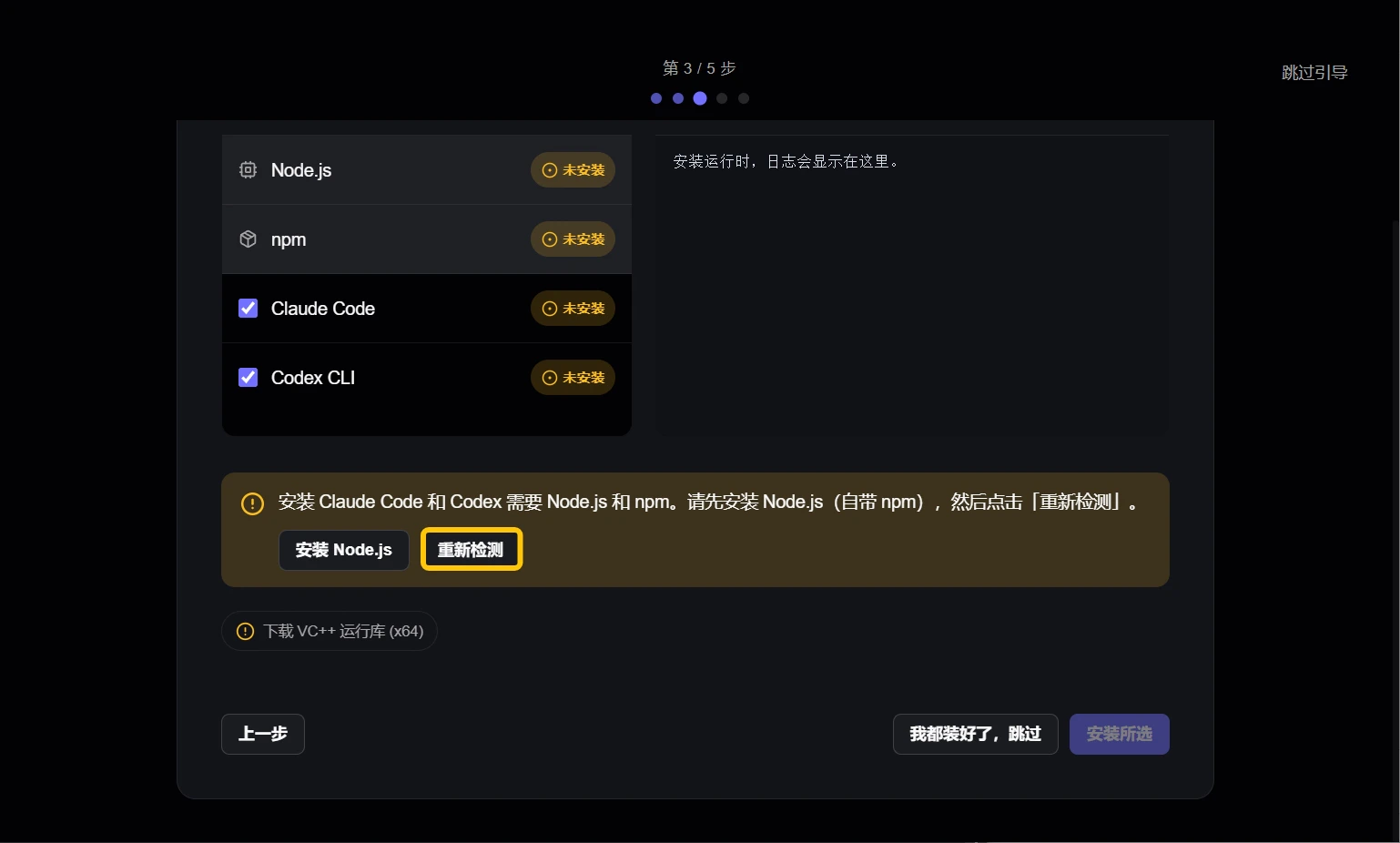
 After the installation is complete, click “Recheck”.
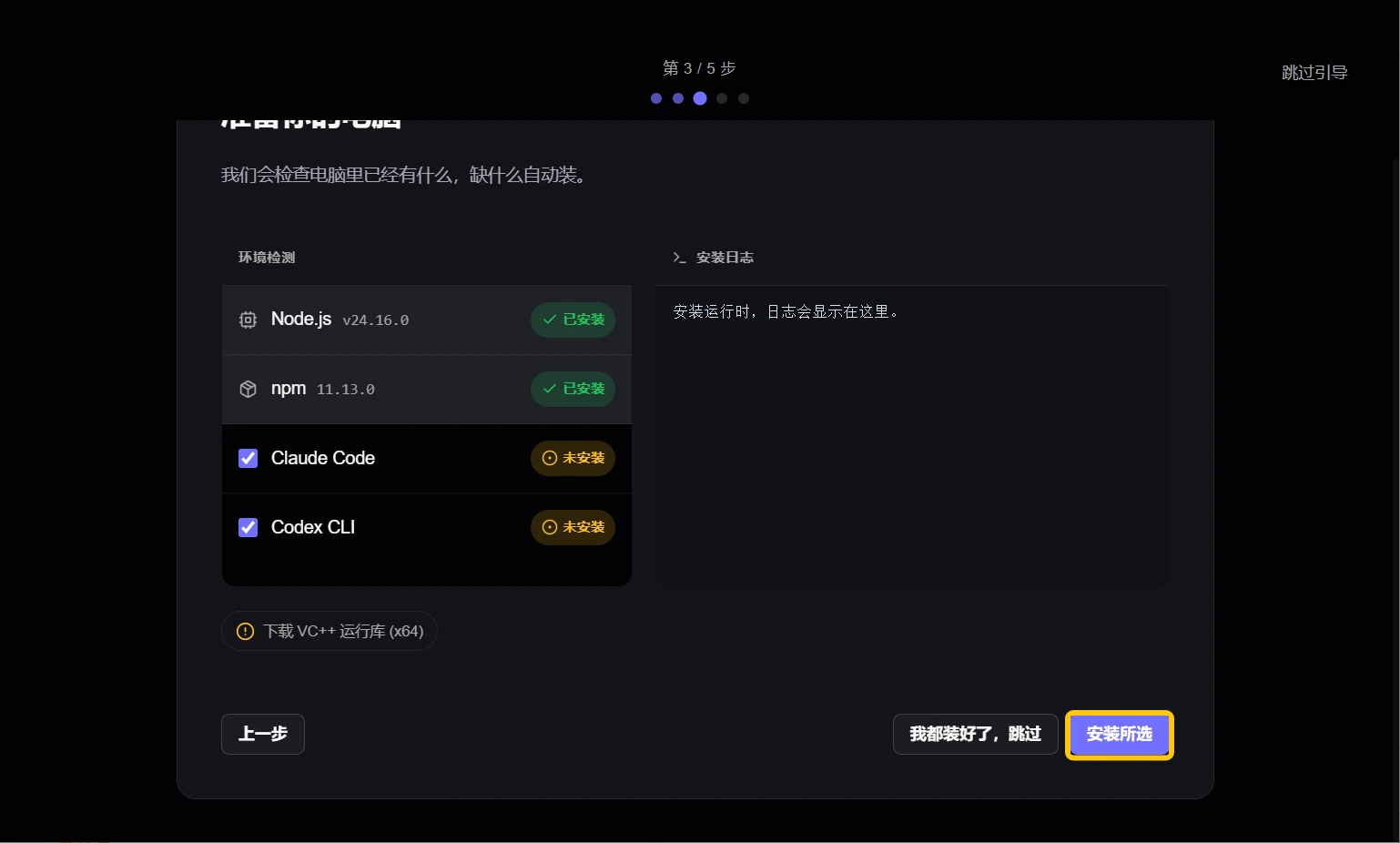
 After selecting the desired coding agent, click “Install Selected”.
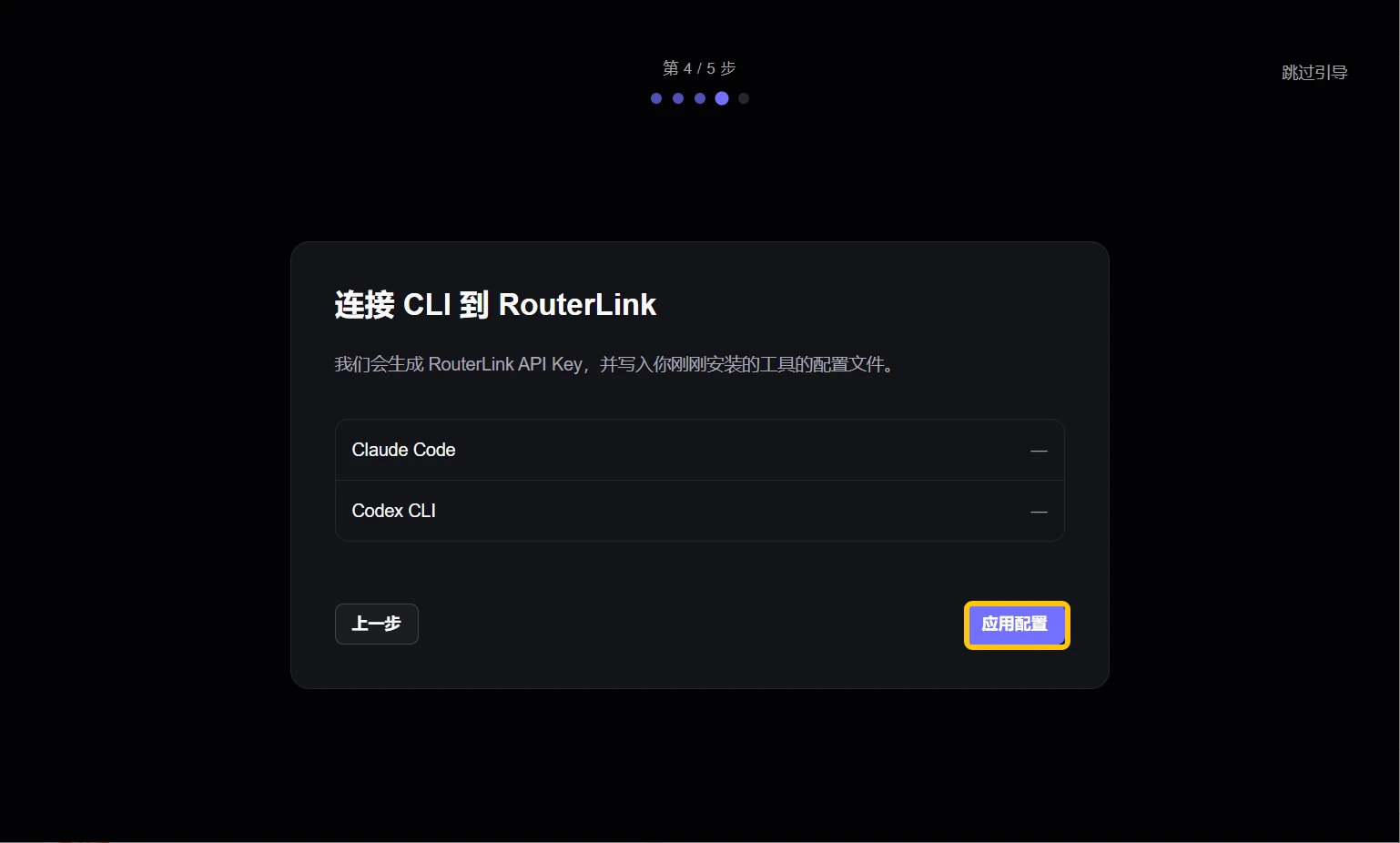
 RouterLink will configure your coding agent. If you have configured it before, Starter will back up your previous configuration.
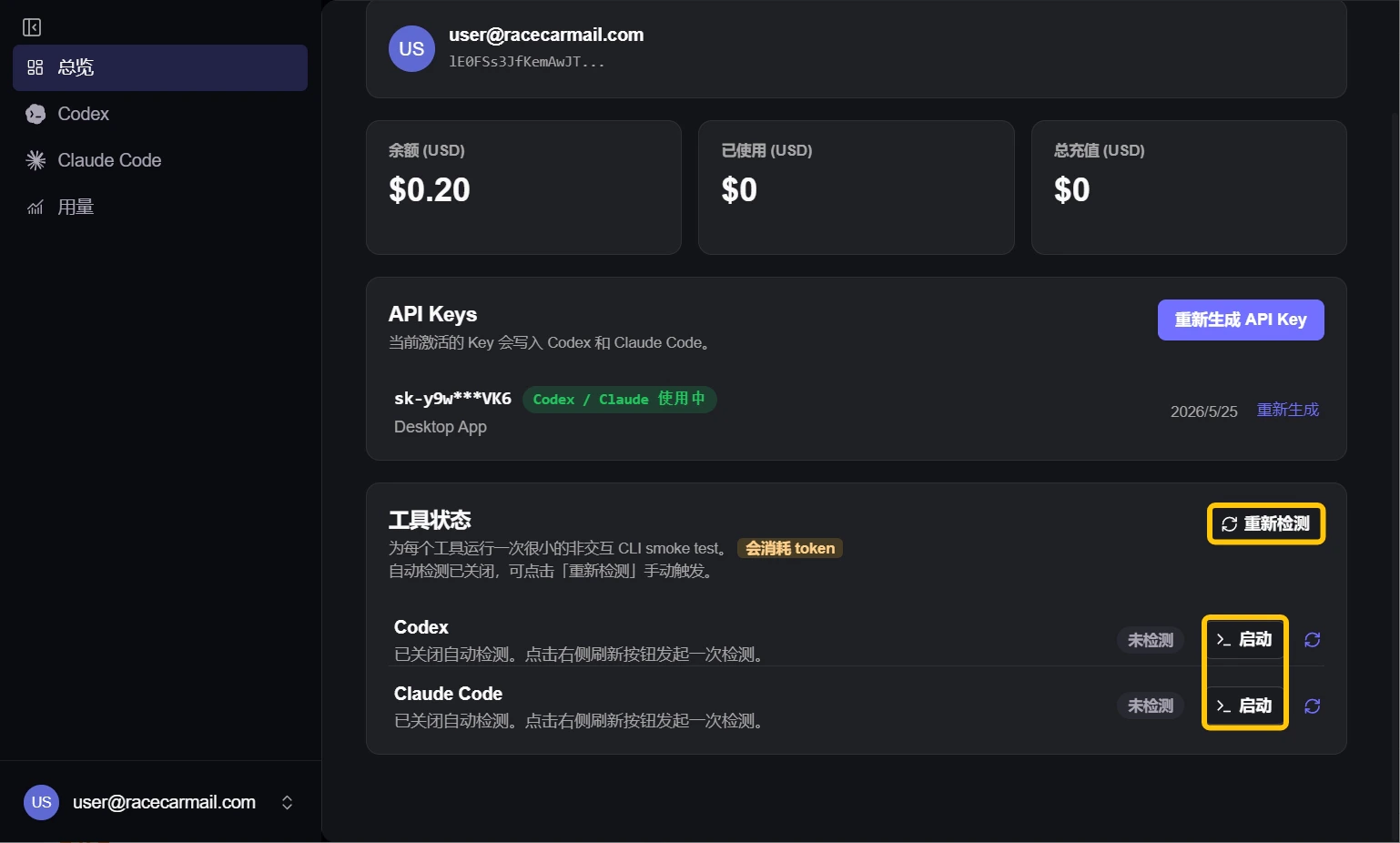
 You can check the availability of the coding agent and quickly launch it from the main page.
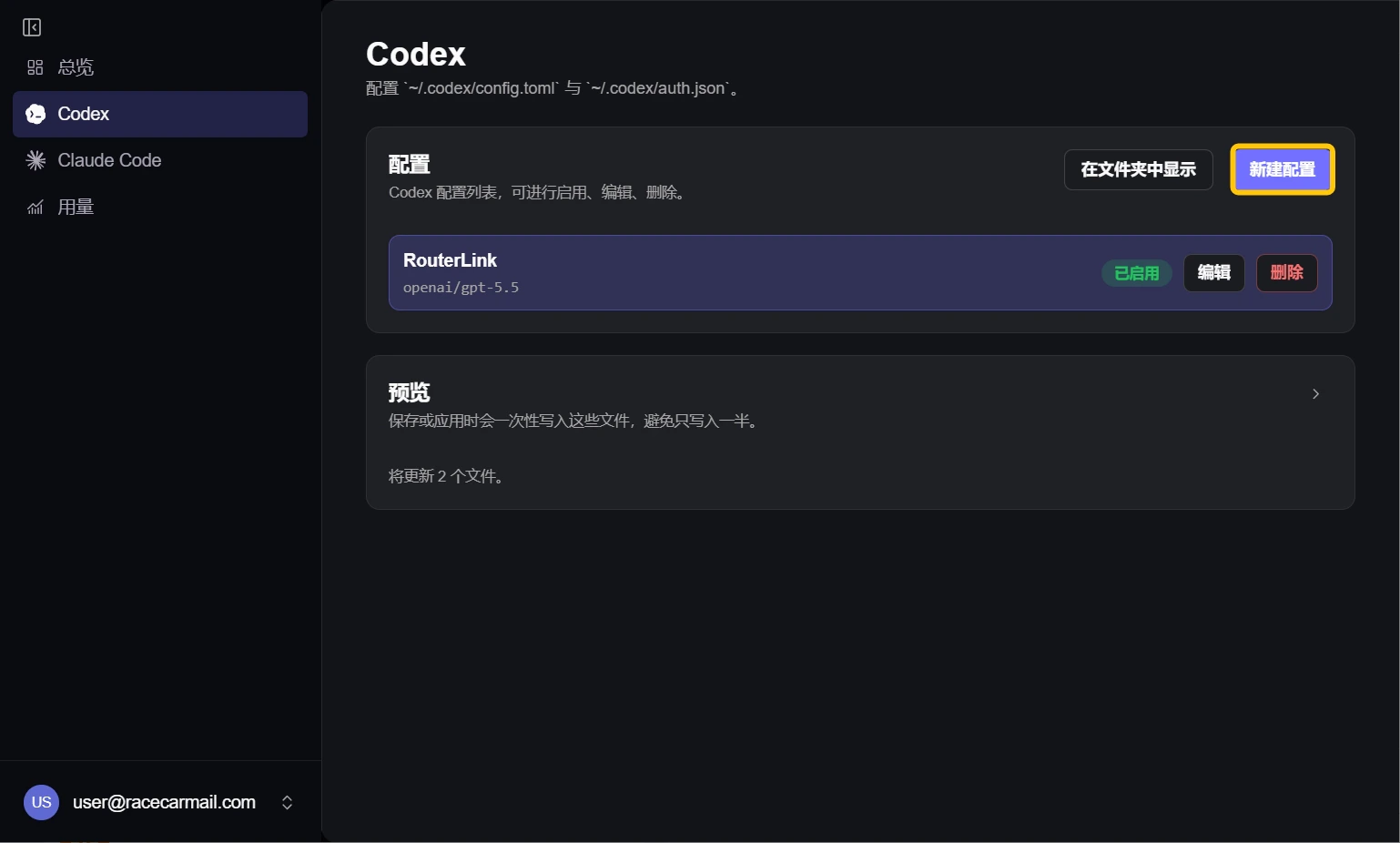
 Click the coding agent tag on the left to configure and use a new model.
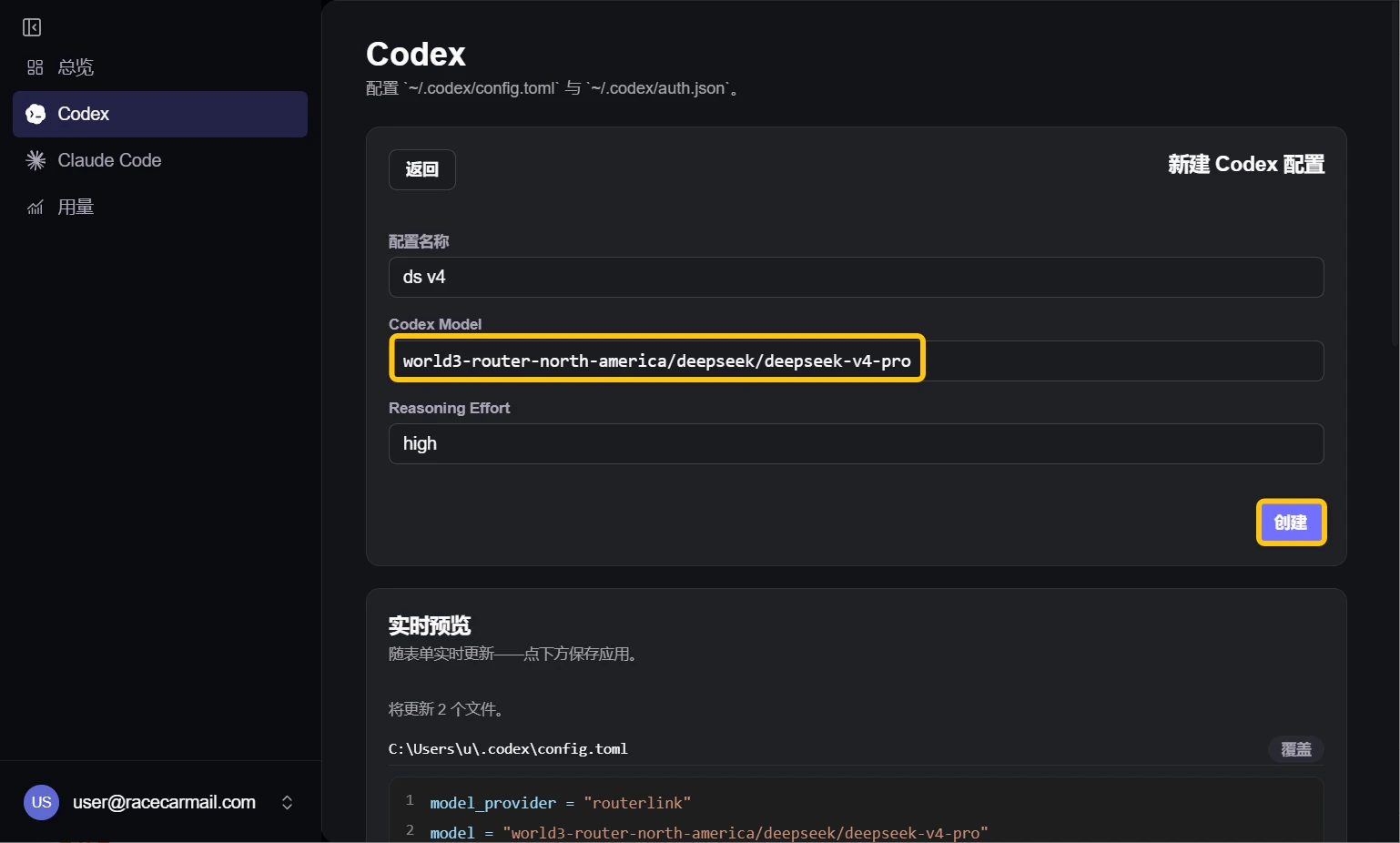
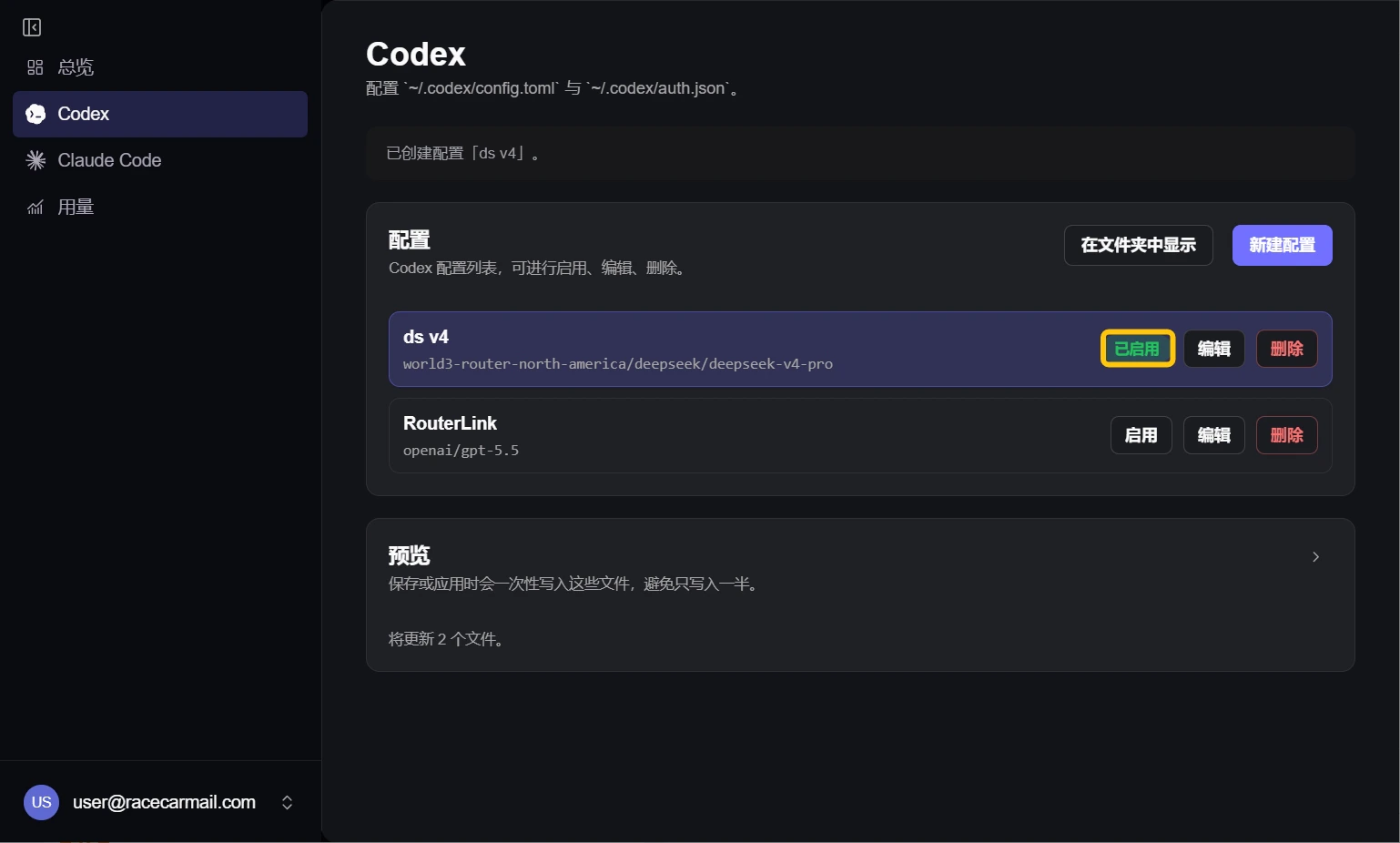
 For example, to use DeepSeek V4 Pro, enter `world3-router-north-america/deepseek/deepseek-v4-pro` in the Codex model field.
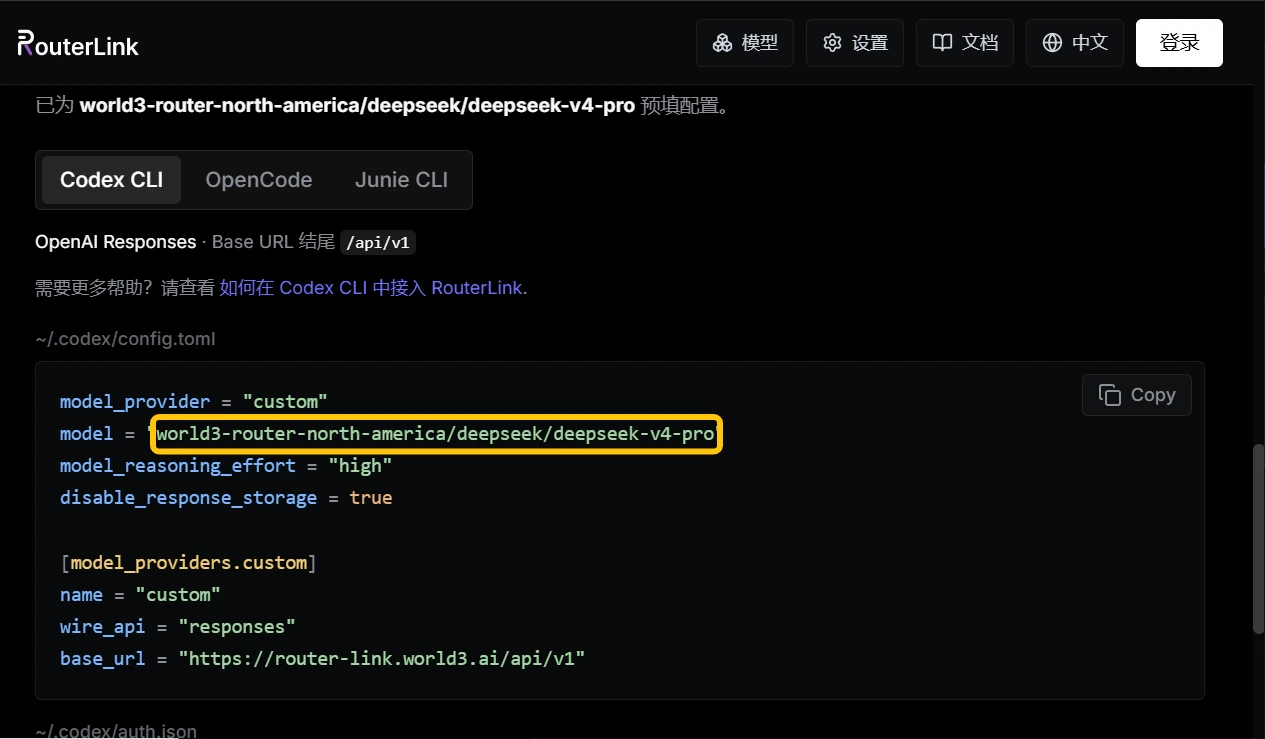
 You can add other [models](https://routerlink.ai/models) based on these (Claude Code requires Anthropic-compatible models, while Codex requires OpenAI-compatible models):
 Make sure your newly created configuration is enabled.
 # Troubleshooting
After launching RouterLink Starter, click Claude or Codex on the left sidebar, then select “default” under Configs and click “Enable”.
Your balance is insufficient. You can top up your account on the [billing page](https://routerlink.ai/settings/billing). For more information: [Price](https://docs.routerlink.ai/basics/price).
After launching RouterLink Starter, click your email address in the bottom-left corner, then go to Settings. On the right side, click “Check for updates” under Updates.
# Troubleshooting
After launching RouterLink Starter, click Claude or Codex on the left sidebar, then select “default” under Configs and click “Enable”.
Your balance is insufficient. You can top up your account on the [billing page](https://routerlink.ai/settings/billing). For more information: [Price](https://docs.routerlink.ai/basics/price).
After launching RouterLink Starter, click your email address in the bottom-left corner, then go to Settings. On the right side, click “Check for updates” under Updates.